![mia-logo-1.svg]](https://miahealth.no/hubfs/mia-logo-1.svg)
1. Go to “Community”, then tap the “Friends” tab.
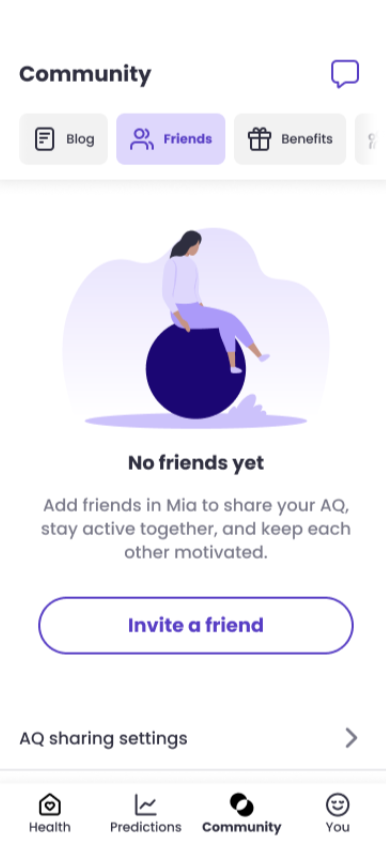
2. Tap “Invite friends.” You’ll get a link you can share via SMS, email, or any other messaging app on your phone.
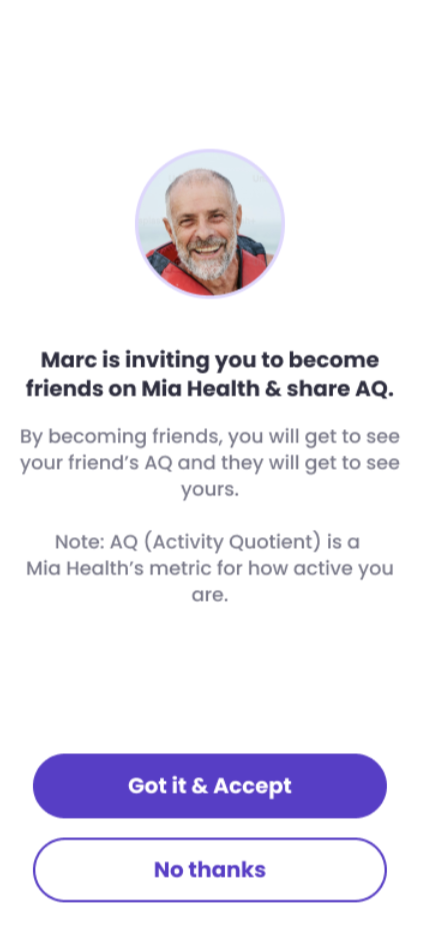
3.When your friend (who already has a Mia Health account and is logged in) clicks the link, the app will open automatically. They can then accept or decline your friend request.
In “Active crowd”, you’ll see the AQ of all your friends who allow AQ sharing and who have earned at least 1 AQ in the past week.