![mia-logo-1.svg]](https://miahealth.no/hubfs/mia-logo-1.svg)
Through the blog tool in Mia Insight, you can engage and motivate via increased insight, knowledge sharing, and exciting updates within your community. The message and target audience depend on whether you are affiliated with a company, clinic, occupational health service, medical center, or are an individual practitioner.
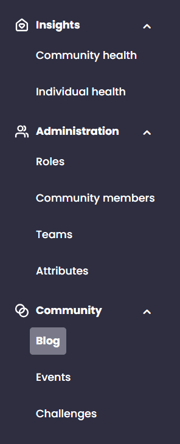
First, navigate to "Blog" under the "Community" tab in the menu.
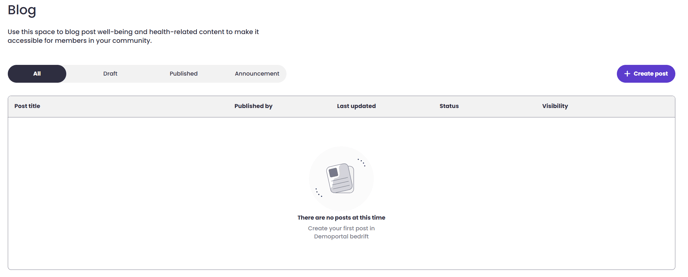
On the blog homepage, click the "+ Create Blog Post" button on the right side to start your first blog post.
This opens the editing window
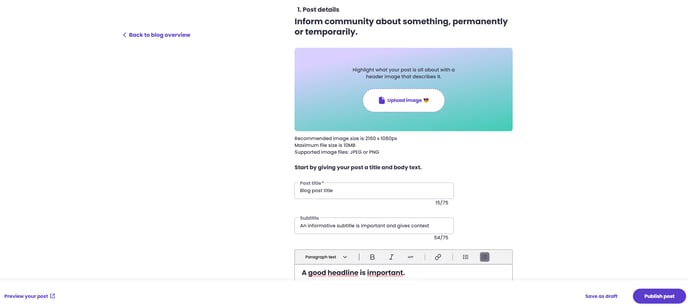
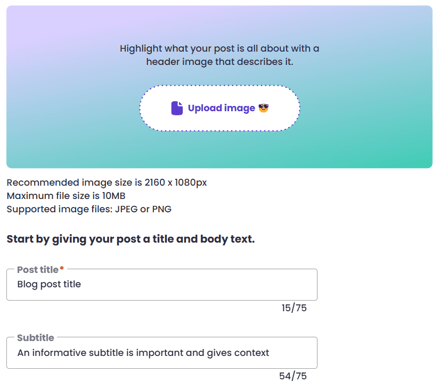
Here, you can add an optional "Cover Image" and begin by filling in the "Title" and "Subtitle".
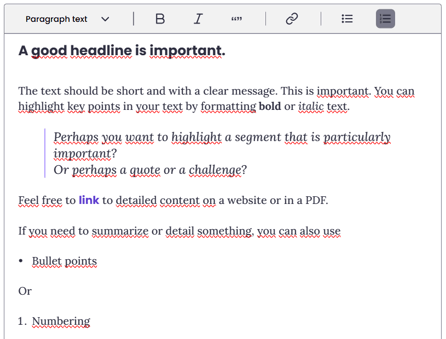
In the main field you enter your text. Several editing tools are available.
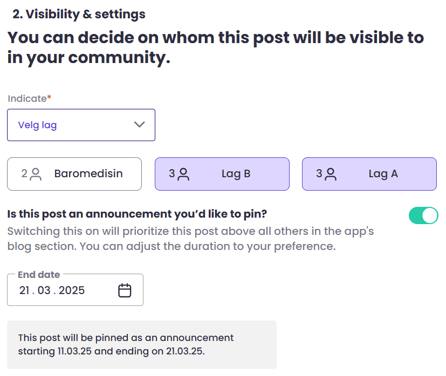
Before sending out the blog post, you can also define visibility and distribution. You can choose to send to the entire organization, or to members of various teams or the attributes in the attribute categories. You can also choose whether the blog post should be pinned at the top and, if so, for how long.
A preview of how this will look in the app for the recipient is available by clicking the link in the lower left corner.
You can choose to "Save as Draft" if you are not quite finished and want to resume your work later. Do this by clicking the link in the lower right corner.
When you are finished and ready to publish, click the "Publish post" button in the lower right corner. The blog post will then be immediately shared with the defined target audience in the Mia Health app.
If you did not receive an answer to your inquiry, please feel free to contact our customer support.