![mia-logo-1.svg]](https://miahealth.no/hubfs/mia-logo-1.svg)
Download the Mia Health app and create an account if you don’t already have one.
Go to: https://signup.miahealth.no/en
Select “Annual Subscription”
Follow the steps in the process. If you're unsure, you can follow the step-by-step guide provided her
On the payment page, enter your gift card code in the field labeled “Promotion code"
You will then see the price update to 0 NOK.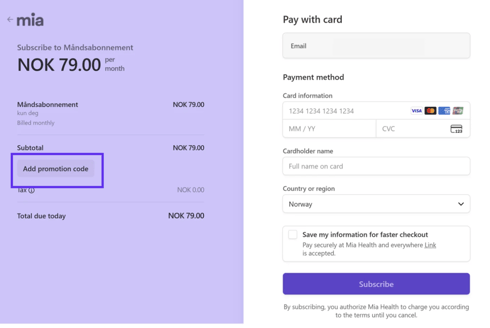
You will need to enter your payment details, but you will not be charged until the subscription renews. You can cancel the subscription at any time before that.