![mia-logo-1.svg]](https://miahealth.no/hubfs/mia-logo-1.svg)
As a healthcare professional (including trainers, therapists, and physicians), Mia Insight provides a convenient chat function to facilitate communication with your connected patients or clients.
Simply click on the "Chat icon" in the top right corner. This icon is accessible from all views.
When the chat window opens for the first time, you must initiate an active chat with a specific patient/client or an active team (a group of patients/clients). Do this by clicking on the "Create chat" icon.
In the "To:" field that appears, type the name of the desired patient/client or select a specific team to start the conversation.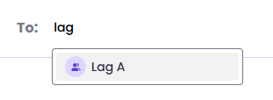
Once a patient/client or team is selected, you can start the dialogue or share files, images, links, etc. You do this in the "message field" at the bottom of the chat window.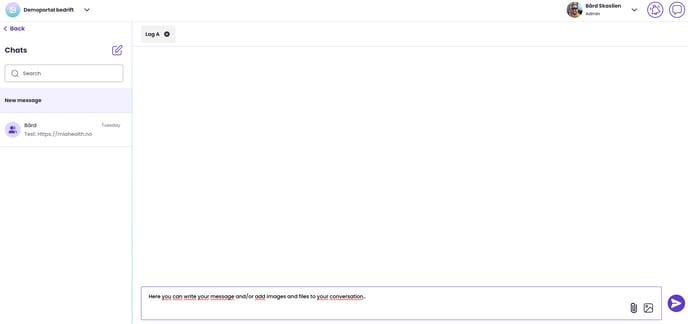
When the message is ready, click on the "Send" icon in the bottom right corner.
To delete a sent message, tap on the message, then tap on the "three dots" and select "Delete message." You will then see a status " This message has been deleted", confirming that the message has been deleted.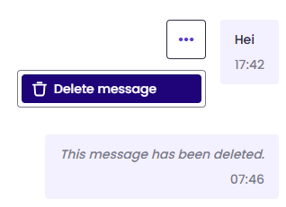
For more information on sending files, saving notes, and other features - read more here
If you didn't find the answer to your question, feel free to contact our user support.